When to Replace a Laptop Battery vs Buy a New Laptop
Your laptop dies at 30%. Or it shuts off the moment you unplug it. Now you wonder: do I fix it or just buy a new one?
Good question. And the answer is not always the same.
Sometimes a $50 battery gives your laptop two more good years. Other times, that same battery is a waste of money. This guide helps you tell the difference in about ten minutes.
Quick Answer
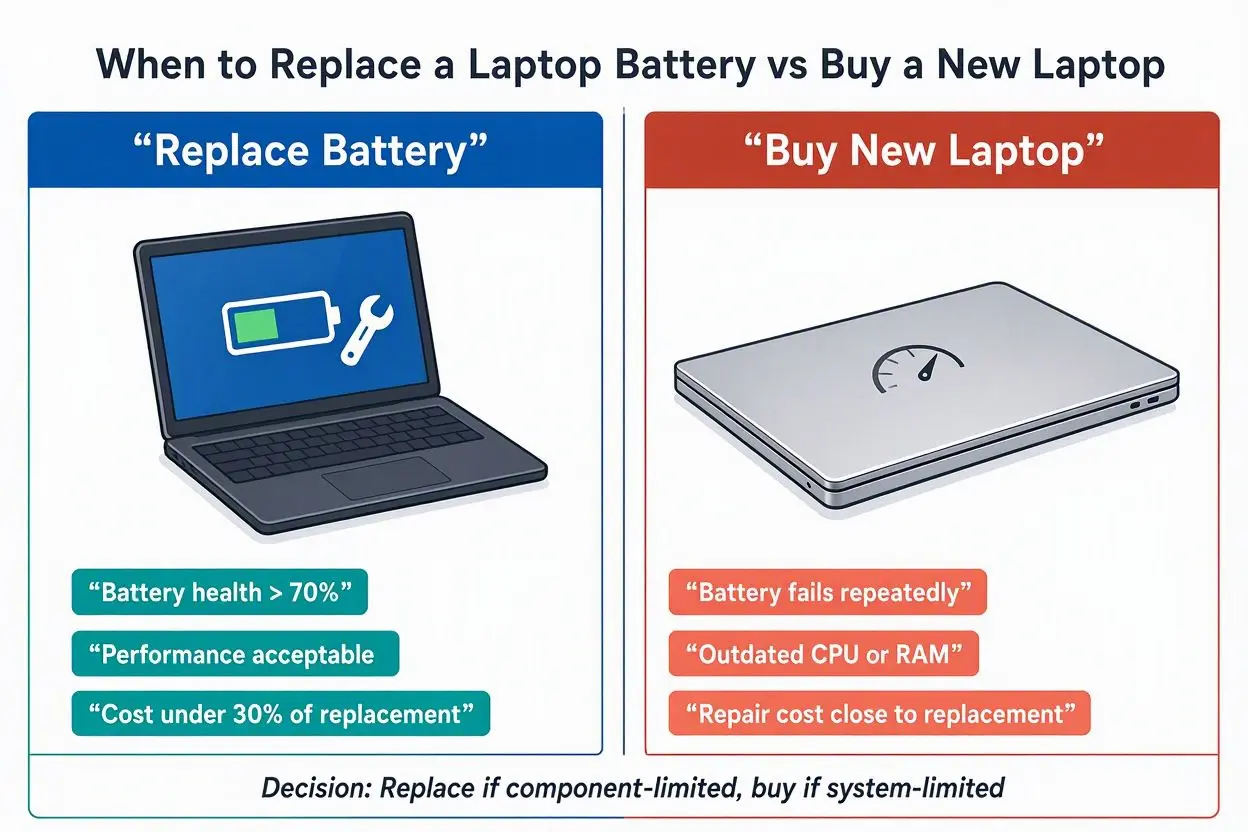
Replace the battery if:
- The laptop still runs fast enough for your work
- The battery costs under 25–30% of a similar new laptop
- The battery is easy to swap
- The screen, keyboard, and ports are fine
Buy a new laptop if:
- The laptop is slow even when plugged in
- The battery or repair costs near half the price of a new one
- The battery is glued in and needs a costly repair
- The battery is swollen
- Your laptop no longer gets software updates
Want the full picture? Keep reading.
Is Your Battery Really the Problem?
Don’t buy anything yet. First, make sure the battery is the real issue.
Here are the signs that point to a worn-out battery:
- Battery life drops from hours to under one hour
- The laptop shuts off at 20% or 30%
- The laptop turns off when you pull the charger
- Windows shows a “Consider replacing your battery” message
- The charge percentage jumps around
- The laptop feels hot near the battery area
A little drop in battery life after a year or two is normal. Every battery loses strength over time. That alone is not a reason to panic.
But if you can’t finish a one-hour meeting without a charger, the battery is done.
How to Check Your Battery Health (Free, 2 Minutes)
You don’t need a technician for this.
On Windows:
- Click Start and type
cmd - Right-click Command Prompt and choose Run as administrator
- Type
powercfg /batteryreportand press Enter - Open the HTML file it saves (the path is shown on screen)
Look at two numbers: Design Capacity and Full Charge Capacity. Design capacity is what the battery had when new. Full charge capacity is what it holds today.
On Mac:
Go to System Settings, then Battery, then Battery Health. You will see the maximum capacity and the condition.
Easy rule:
- Above 80% of original: your battery is fine
- 60% to 80%: it is aging, but usable
- Below 60%: it is time to act
Some laptop brands also have their own tool, like Lenovo Vantage, Dell SupportAssist, or HP Support Assistant. Check those too.
Try These Quick Fixes First
Not every battery problem means a dead battery. Try these before you spend money:
- Update your BIOS and drivers. Old firmware can show wrong battery numbers.
- Lower screen brightness. The screen eats a lot of power.
- Check background apps. One bad app can drain your battery fast. Open Task Manager and look.
- Turn on battery saver mode.
- Check your charger. A weak or wrong charger causes charging trouble.
- Look at your settings. Some laptops let you cap charging at 80% to protect the battery. If that is on, you will see lower runtime. That is not a fault.
If none of this helps, the battery is likely worn out.
When Replacing the Battery Is the Smart Move
A new battery makes sense in these cases.
1. The laptop still feels fast
Open a few tabs. Run your usual apps. If it handles your work without lag, the laptop is healthy. Only the battery is old.
2. The battery is cheap and easy to swap
Some laptops have a battery you can remove in five minutes. Others need a screwdriver and some care. A good replacement often costs between $30 and $100, depending on the model.
3. You own a good older laptop
This one surprises people. A premium laptop from a few years ago often beats a cheap new one. It may have a better screen, better keyboard, and stronger build. A budget laptop today may feel worse in daily use.
If your old laptop was a quality machine, fix it. Don’t trade it for something weaker.
4. You don’t need much battery life
If your laptop stays on a desk and plugged in most days, battery health matters less. A new battery gives you a backup for power cuts. For many people, that is enough.
5. You want to save money and reduce waste
A battery swap costs less. It also keeps a working laptop out of the trash. Good for your wallet and the planet.
When Buying a New Laptop Is Better
Sometimes the battery is just the first thing to fail. Here is when to let go.
1. The laptop is slow all the time
If it lags even when plugged in, a new battery won’t fix that. The processor, RAM, or storage is the problem. Software today needs more power than it used to.
2. The battery is built in
Many thin laptops have glued or sealed batteries. A swap needs a professional and often costs a lot. In some cases, the repair price gets close to the price of a new machine.
3. The repair costs half the laptop’s value
Here is a simple rule. Add up the battery price plus labor. Compare it to what a similar working laptop costs today.
- Under 30%: repair is a good deal
- 30% to 50%: think hard
- Over 50%: buy new
4. The battery is swollen
This is a safety issue. A puffed battery can push your trackpad up or lift the case. It can catch fire. Stop using the laptop. Unplug it. Take it to a repair shop. Do not poke it or press on it.
5. Other parts are failing too
Is the screen cracked? Is the hinge loose? Is the keyboard acting up? Does the fan scream? Fixing many parts costs more than one new laptop.
6. The laptop no longer gets updates
When your operating system stops getting security updates, your laptop becomes risky. Old Windows versions and old Macs fall into this. A new battery won’t solve that.
7. Your needs have changed
Maybe you now edit videos, code, or run heavy apps. An old laptop can’t keep up. A new battery in a weak laptop is still a weak laptop.
Side-by-Side Comparison
| Factor | Replace Battery | Buy New Laptop |
|---|---|---|
| Cost | Low ($30–$100 typical) | High ($400 and up) |
| Speed | Same as before | Faster |
| Battery life | Restored | Fresh and often better |
| Best for | Good laptops with one issue | Old laptops with many issues |
| Effort | Small | Setup and data transfer |
| Safety | Safe with good parts | Safe with new hardware |
Real Examples
Example 1: The student. Sara has a 3-year-old laptop with a good screen. It dies after 40 minutes. The battery is removable and costs $45. She swaps it in ten minutes. Problem solved. She saved hundreds.
Example 2: The freelancer. Omar has a 6-year-old laptop with 4GB RAM. The battery is weak and the laptop is slow. A new battery would cost $70. But the laptop still lags with ten tabs open. He buys a new one. The old machine had bigger problems.
Example 3: The office worker. Lina’s laptop battery has swollen. The trackpad is lifting. She stops using it and sees a technician. Safety comes first, no matter what the laptop is worth.
(Tip for you: replace these with real stories from your own audience for a stronger human touch.)
Where to Buy a Safe Replacement Battery
Don’t buy the cheapest random battery online. Bad batteries can overheat.
- Buy from the laptop maker or an authorized dealer when you can
- Match the exact model number, voltage, and capacity (Wh)
- Check the connector type and the shape
- Read reviews from real buyers
- Look for a warranty
A cheap battery that fails in three months is no bargain.
How to Make Your Next Battery Last Longer
Whatever you choose, treat the new battery well:
- Don’t leave it at 100% all day when plugged in, if your laptop has a charge limit option
- Avoid heat. Don’t use the laptop on a bed or sofa
- Don’t drain it to zero all the time
- Keep the vents clean
- Use the original charger
- Update your system regularly
You don’t need to drain a new battery fully and recharge it as a ritual. That is an old myth from older battery types.
Safety Warning Signs
Stop using your laptop and get help if you see:
- A swollen or bulging battery
- A gap in the laptop case
- A burning or chemical smell
- Extreme heat while charging
- Leaking liquid
Never throw a laptop battery in normal trash. Take old batteries to an e-waste or battery recycling point.
Final Checklist
Ask yourself these questions:
- Is my battery health below 60%?
- Is my laptop still fast enough for my work?
- Can I replace the battery easily?
- Does the repair cost less than 30% of a new laptop?
- Is the rest of the laptop in good shape?
- Does it still get security updates?
If you answered yes to most, replace the battery.
If you answered no to several, start shopping for a new laptop.
Frequently Asked Questions
How long does a laptop battery last?
Most laptop batteries last about two to four years, or roughly 300 to 500 full charge cycles. Heat, heavy use, and charging habits change this a lot.
Is it worth replacing a laptop battery?
Yes, if the laptop is otherwise fast and healthy, and the battery costs little. It is often the cheapest way to get years of extra use.
Can I use my laptop without a battery?
On many laptops, yes. You just plug in the charger. But a power cut will shut it down instantly, and some models won’t run without a battery. Check your model first.
How much does a laptop battery replacement cost?
It depends on the brand and model. Many cost between $30 and $100 for the part. Professional labor adds more, especially if the battery is built in.
Is a swollen laptop battery dangerous?
Yes. Stop using it right away. Unplug the laptop and have a technician handle it.
Should I replace the battery or buy a new laptop if my laptop is 5 years old?
Check speed first. If it runs well and gets updates, replace the battery. If it is slow and unsupported, a new laptop is the better choice.
Does a new battery make a laptop faster?
Not really. It restores battery life. It won’t fix a slow processor or low RAM. Some older laptops slow down on weak batteries to save power, so you may notice a small boost.
Conclusion
A dying battery doesn’t always mean a dying laptop.
If your laptop is fast, well built, and the battery is easy to replace, spend the small amount and keep it. If the machine is slow, unsupported, or the repair costs almost half a new one, move on.
Check your battery health first. Do the math. Then decide with a clear head.
Either way, you now know exactly what to look for.